

ROLE
UX Designer
TOOLS
Figma, Miro
TIMELINE
Sep 2024 - Dec 2024
Improving the social media shopping by directly linking users to featured products
SocialFind
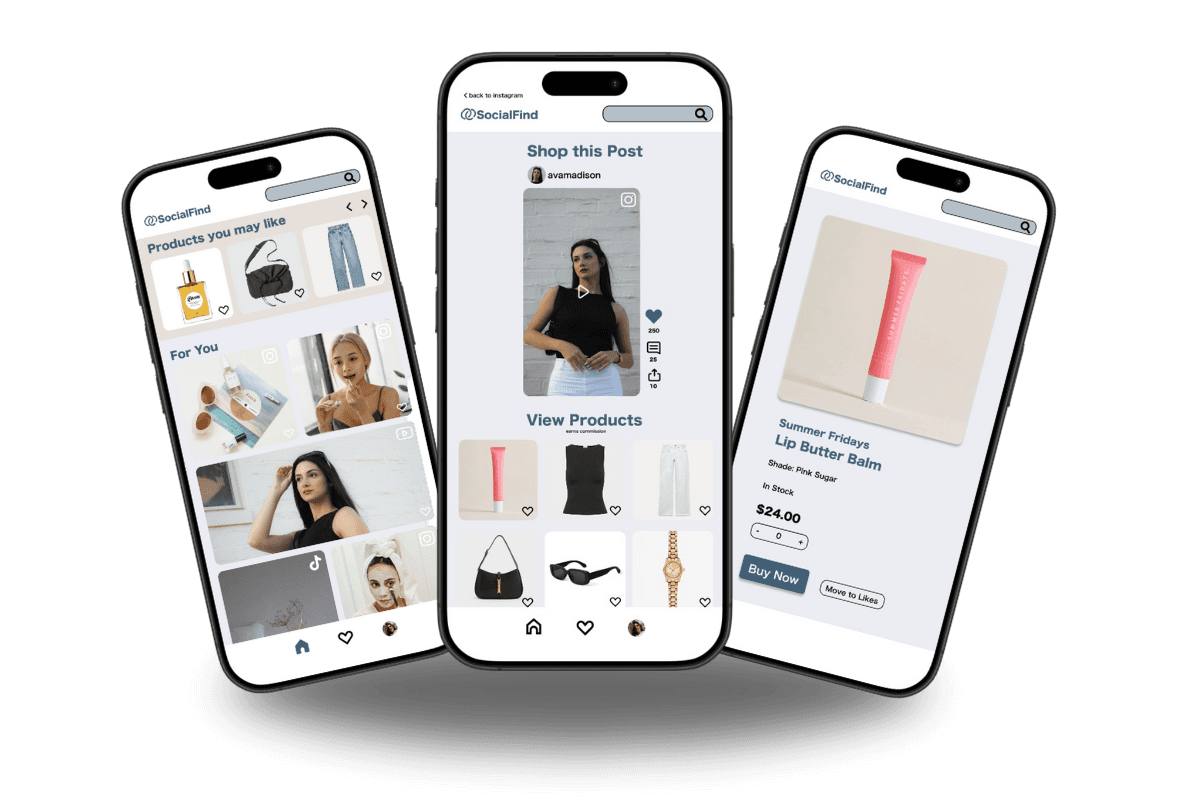
OVERVIEW
Social media platforms have become major spaces for product discovery, but the process of purchasing items from posts is often fragmented. Users frequently switch between multiple apps to locate and buy products, creating friction in the shopping journey.
To address this problem, SocialFind is a mobile app concept that enables users to seamlessly shop directly from social media posts.
The goal was to reduce friction in the discovery-to-purchase workflow by integrating product information and purchasing functionality into the browsing experience.
PROBLEM
While users enjoy discovering products through social media content, purchasing those products often requires switching between multiple platforms.
See a product in a post
Search for the brand online
Navigate through multiple websites to find the item
This fragmented process interrupts the discovery experience and makes purchasing less convenient.
How can the process of purchasing products discovered on social media be simplified without disrupting the browsing experience?
DISCOVER & EMPATHIZE
Research Question
How do users discover new products to buy while browsing on online social media?
Needer Group
Social media users, specifically users who have used social media to shop
To better understand how users discover and purchase products through social media, I conducted observational research and informal interviews with participants who frequently engage with social media content. The goal was to observe how users interact with posts that feature products and identify points of friction in their purchasing journey.
Observations and Needfinding
Users often save posts or screenshots to remember products
Many switch between multiple apps to locate items
Some abandon purchases due to difficulty finding the product
Users already enjoy discovering products through social media content
The primary friction occurs after discovery, when users must leave the platform and search for the product elsewhere
Creates unnecessary steps and disrupts the browsing experience
User Pain Points
Insight
Difficulty Finding Product Links
Time-Consuming Shopping Process
Lack of Organization for Desired Products
Unclear Product Information
Broken or Missing Links
Interruptive Experience When Opening Links
These behaviors suggested that product discovery is already effective, but the transition from discovery to purchase is inefficient.
IDEATION
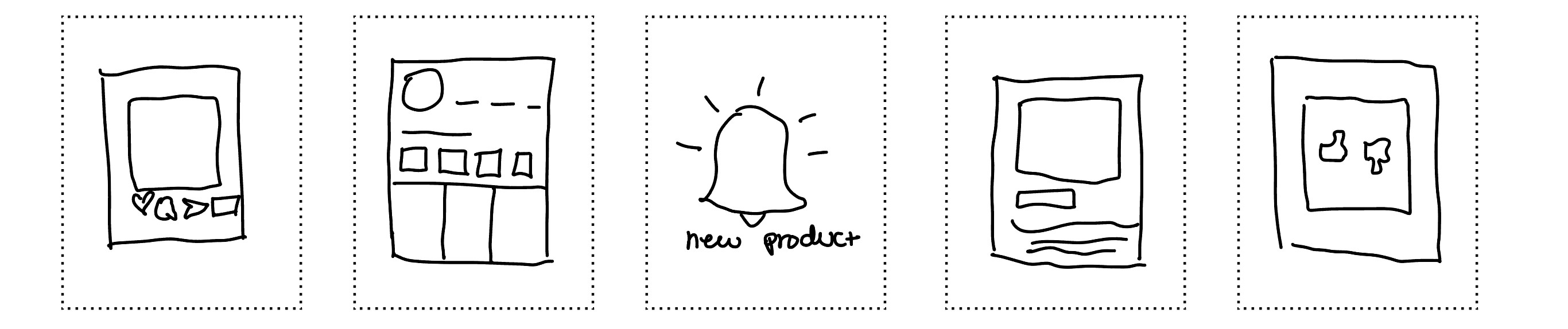
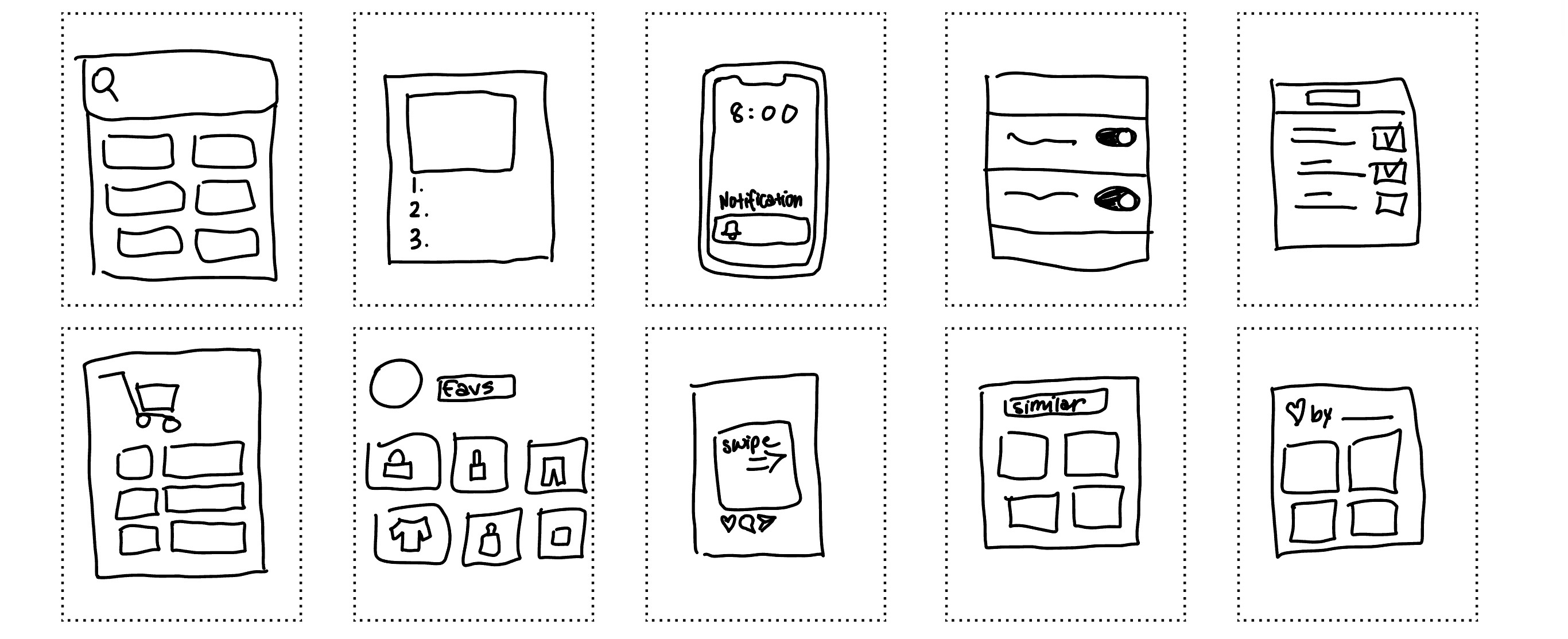
I began by sketching potential solutions that would allow users to interact with products directly within social content.
Key goals:
Minimizing the number of steps required to purchase a product
Maintaining the familiar browsing experience of social media
Providing clear product information without overwhelming the user
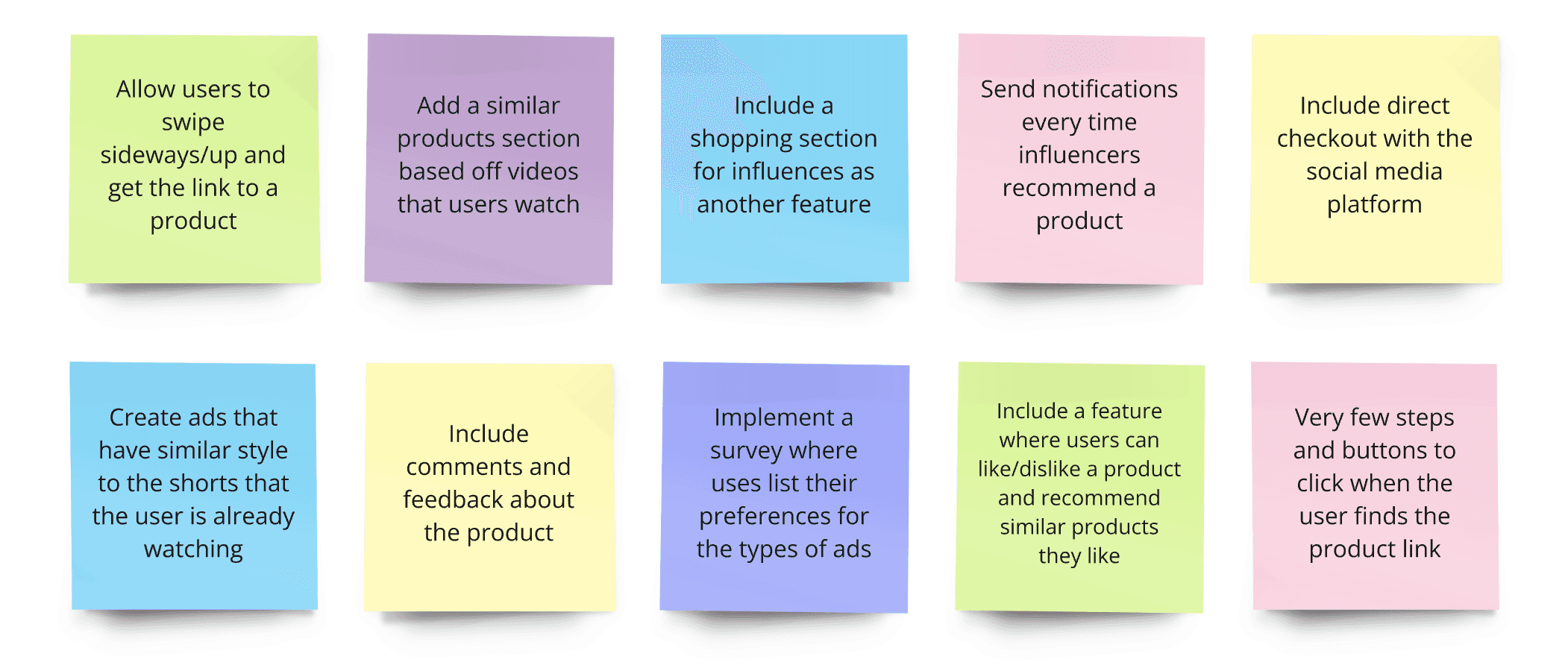
Brainwalking
Sketching
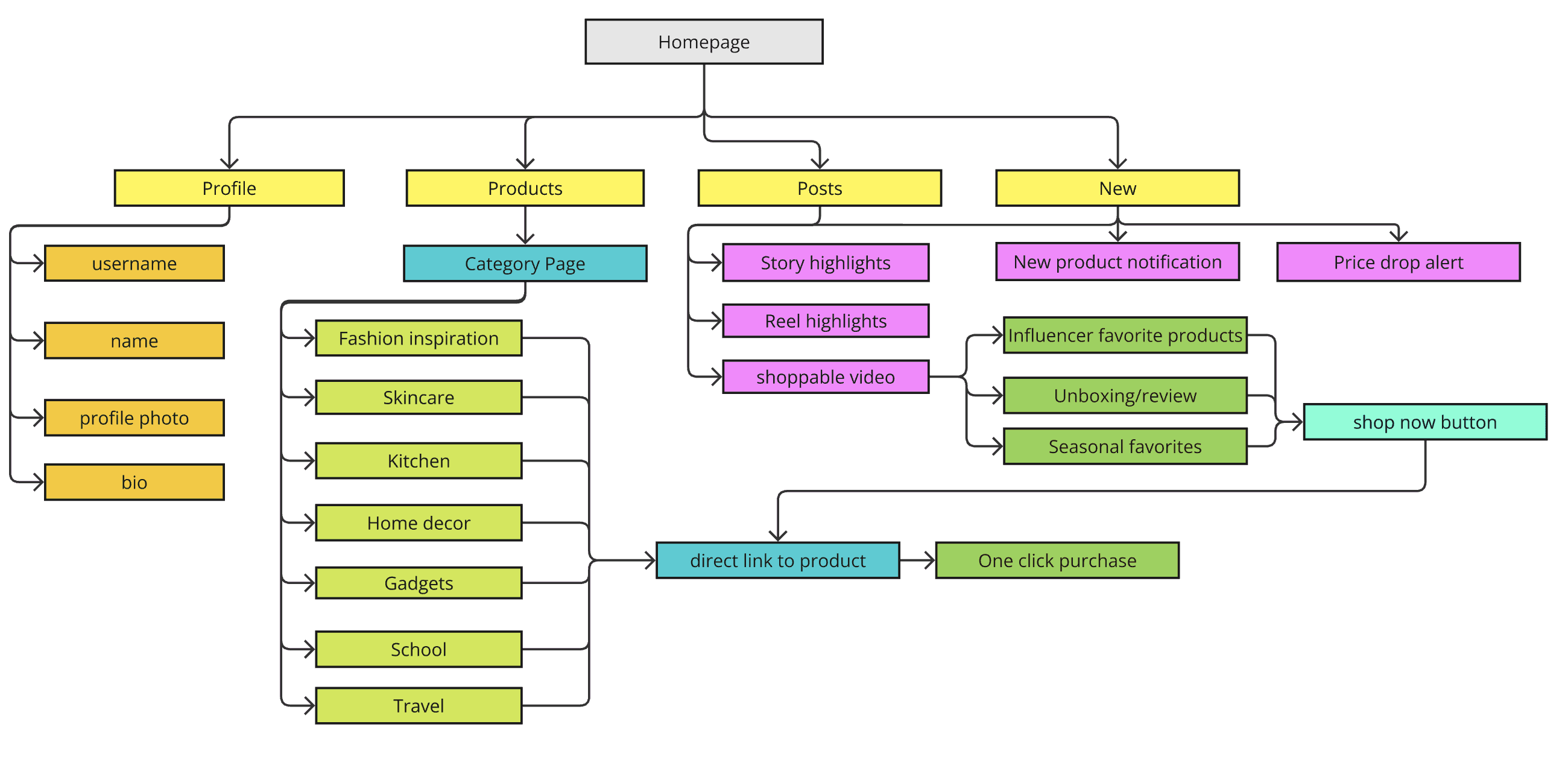
Information Architecture
PROTOTYPING
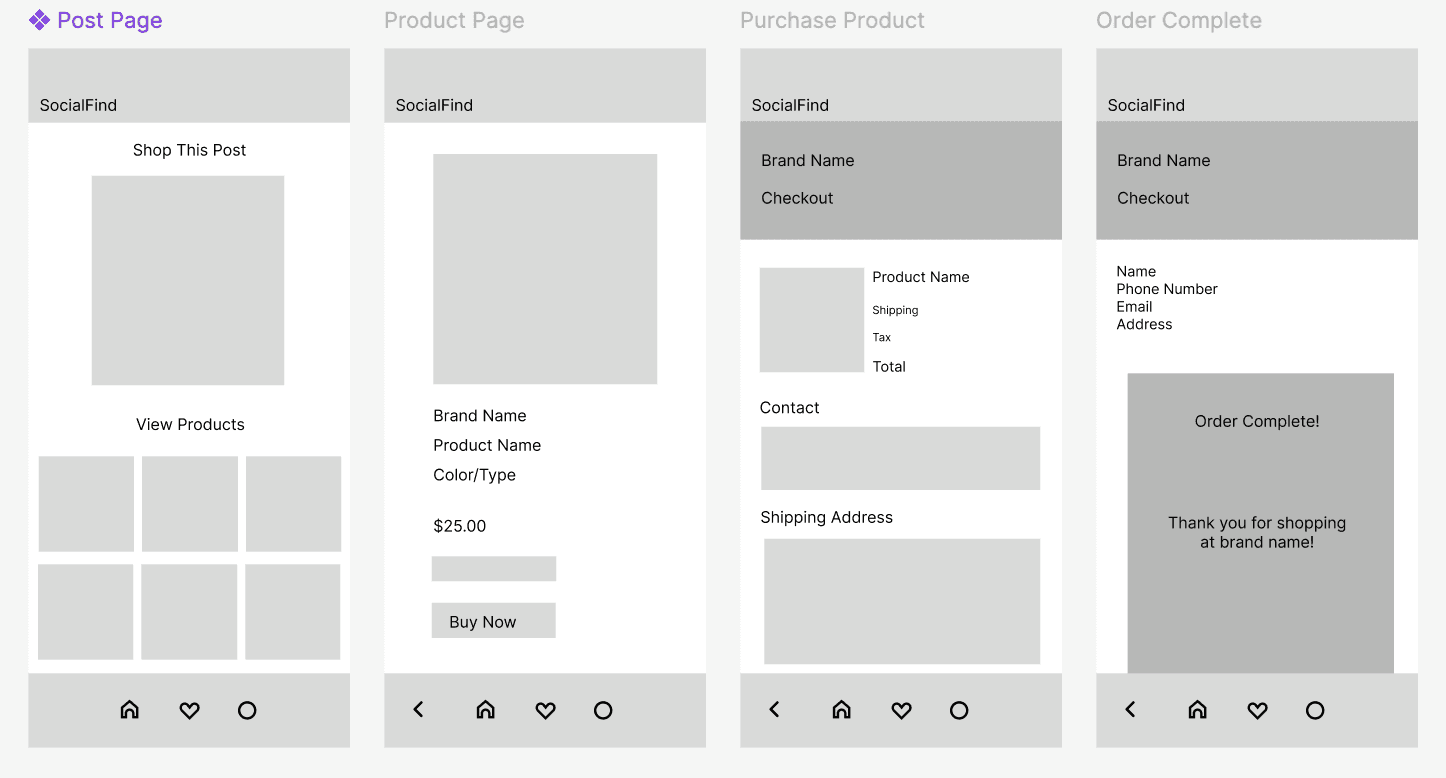
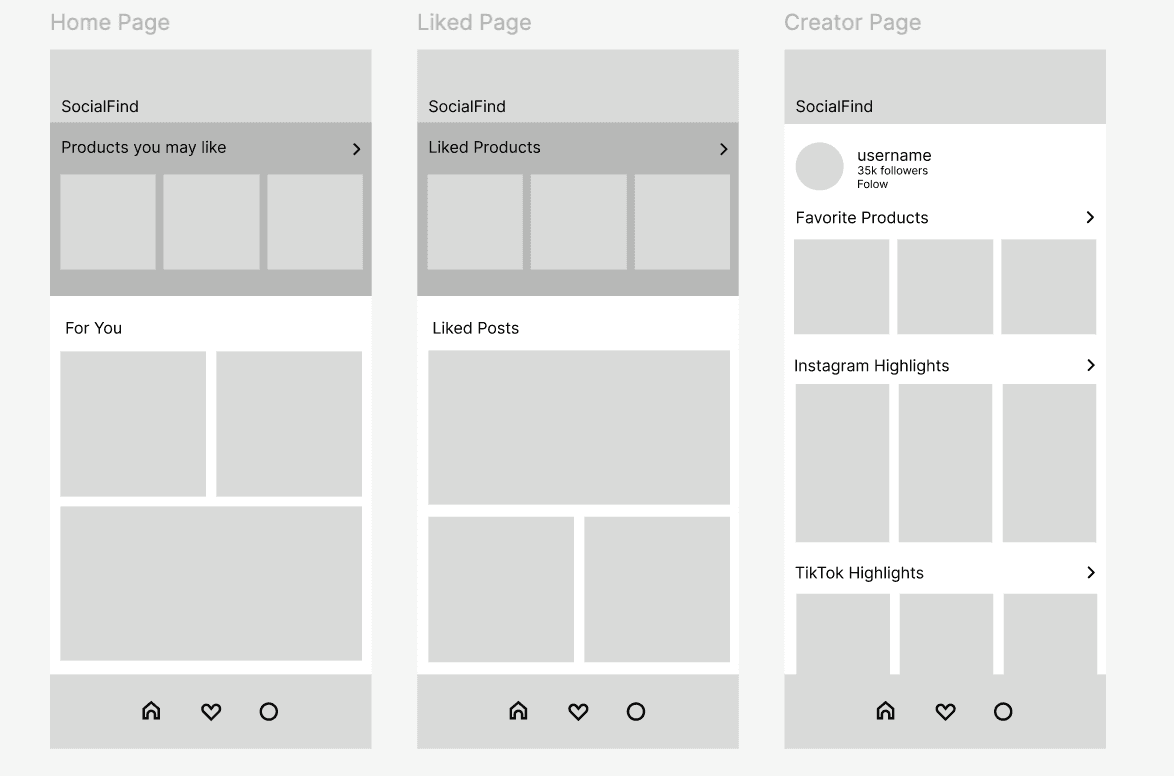
User Flows and Wireframing

User Flow 1
(Social media post)

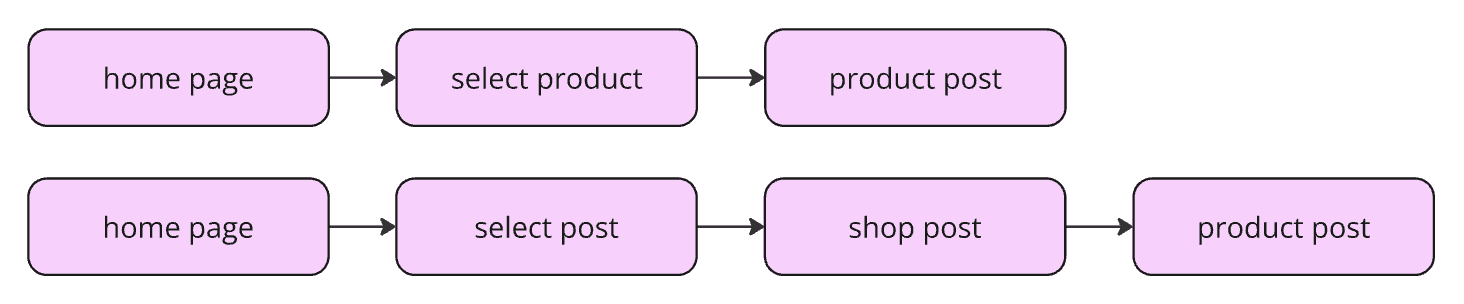
User Flow 2
(Home page)
User Flow 3
User Flow 1
User Flow 2 and 3
(Liked page)
Color Palette
High-Fidelity Prototype
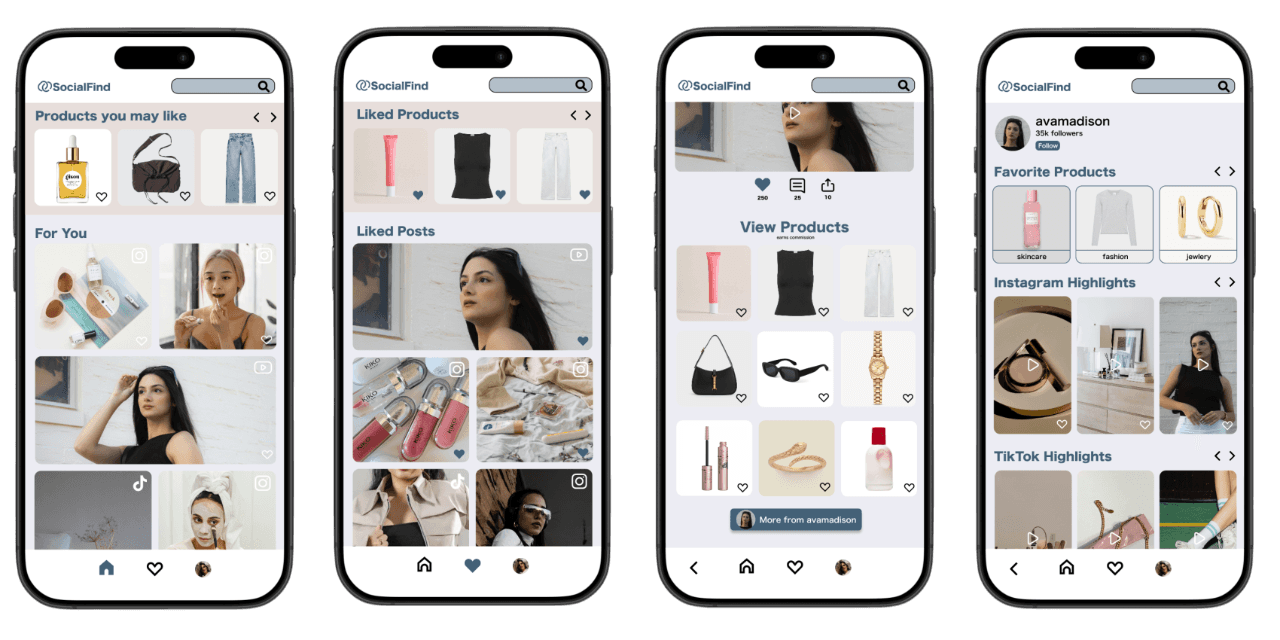
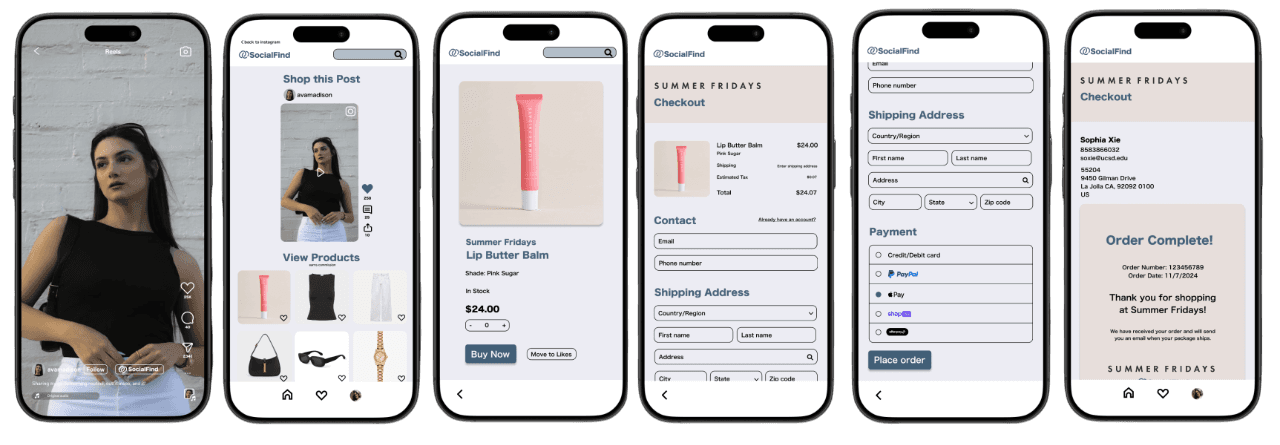

View Prototype
Solution
Streamlined Flow
Users can directly purchase from the post, reducing the need to search for products on external platforms.
Product Detail View
Users can quickly view product details such as price, description, and images without leaving the browsing.
Product Tagging
Products displayed in posts can be tapped to reveal additional information.
USER TESTING
I conducted a moderated usability test. The goal of this study is to test the user flow and for users to view product details from social media posts, purchase products, and view more posts and products to shop. The target population is social media users, ideally users who have done online shopping through social media. The test occurred online on Zoom for around 10 minutes for each participant and each test was screen-recorded.
Participants were asked to complete several tasks using the interactive prototype, including:
identifying a product within a social media post
viewing product details
navigating through the purchase flow
Testing Findings
Improvements
Default quantity issues
Problem: Users attempted to purchase without adjusting the quantity, causing errors.
Solution: Set the default quantity to 1 to prevent mistakes and streamline the purchase flow.
Payment selection precision
Problem: Small and closely spaced clickable areas led to mis-clicks when selecting a payment method.
Solution: Increased button size and spacing to make interactions easier and more accurate.
Product interaction clarity
Problem: Participants frequently tapped the product in the browser instead of opening the app, showing the call-to-action was unclear.
Solution: Updated the button to “Open in SocialFind App” and added microcopy to clarify the app download.
100% of participants were able to complete the tasks without assistance, demonstrating that the interactions and navigation in the prototype were intuitive and aligned with user expectations.
REFLECTION
This project reinforced the importance of observing real user behavior before jumping into solutions. Initially, I assumed the challenge was related to product discovery, but research revealed that the real problem occurred during the transition from discovery to purchase.
If I were to continue this project, I would:
Conduct usability testing to evaluate the efficiency of the purchase flow
Measure task completion time compared to current social commerce experiences
Explore partnerships with existing social platforms to integrate this functionality
This experience strengthened my understanding of how small points of friction in a user journey can significantly impact the overall product experience.