


Enhancing Medical Billing
An efficient medical billing and notification system ensuring clarity and full transparency of patient healthcare costs
ROLE
UX Designer
TIMELINE
Jan 2025 - Mar 2025
TOOLS
Figma, Miro
OVERVIEW
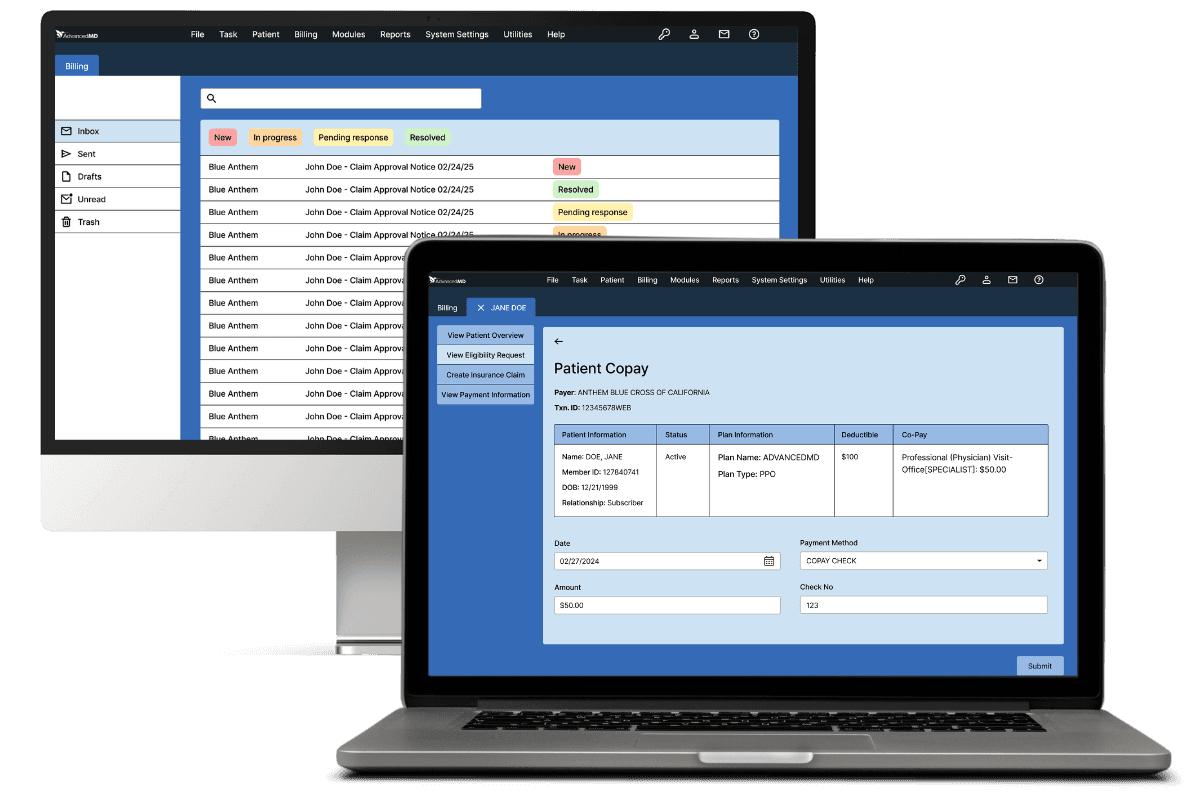
This updated billing and notification system helps medical front desk assistants verify insurance, check patient co-pays, track the status of insurance claims, and generate accurate billing statements. By streamlining these processes, the system reduces administrative workload, minimizes billing errors, and enhances transparency, ensuring patients have a clear understanding of their healthcare costs at every stage of their visit.
PROBLEM STATEMENT
Medical front desk assistants need an efficient process to bill and notify patients of incoming charges and insurance eligibility in order to give patients full transparency of their healthcare costs when visiting the doctor.
RESEARCH
Understanding medical assistants with interviews
Our stakeholders were medical front desk assistants working at orthodontist and dermatology offices. We conducted semi-structured interviews remotely and asked them follow-up questions if necessary after listening to their responses. When interviewing, we gave the stakeholders time to think and stayed flexible, adaptive, and open-minded.
Interview Findings & Pain Points
Some assistants processes bills manually by inputting their email, name, and credit card
Not all assistants were using any form of software to streamline this process
The dermatological assistant uses EZDerm for billing and noticed dark patterns within the software
Without extra steps to ensure that accurate charges, assistants could easily bill someone by accident
The assistants experienced angry or confused patients who receive unexpected bills
Competitive Analysis
Personas
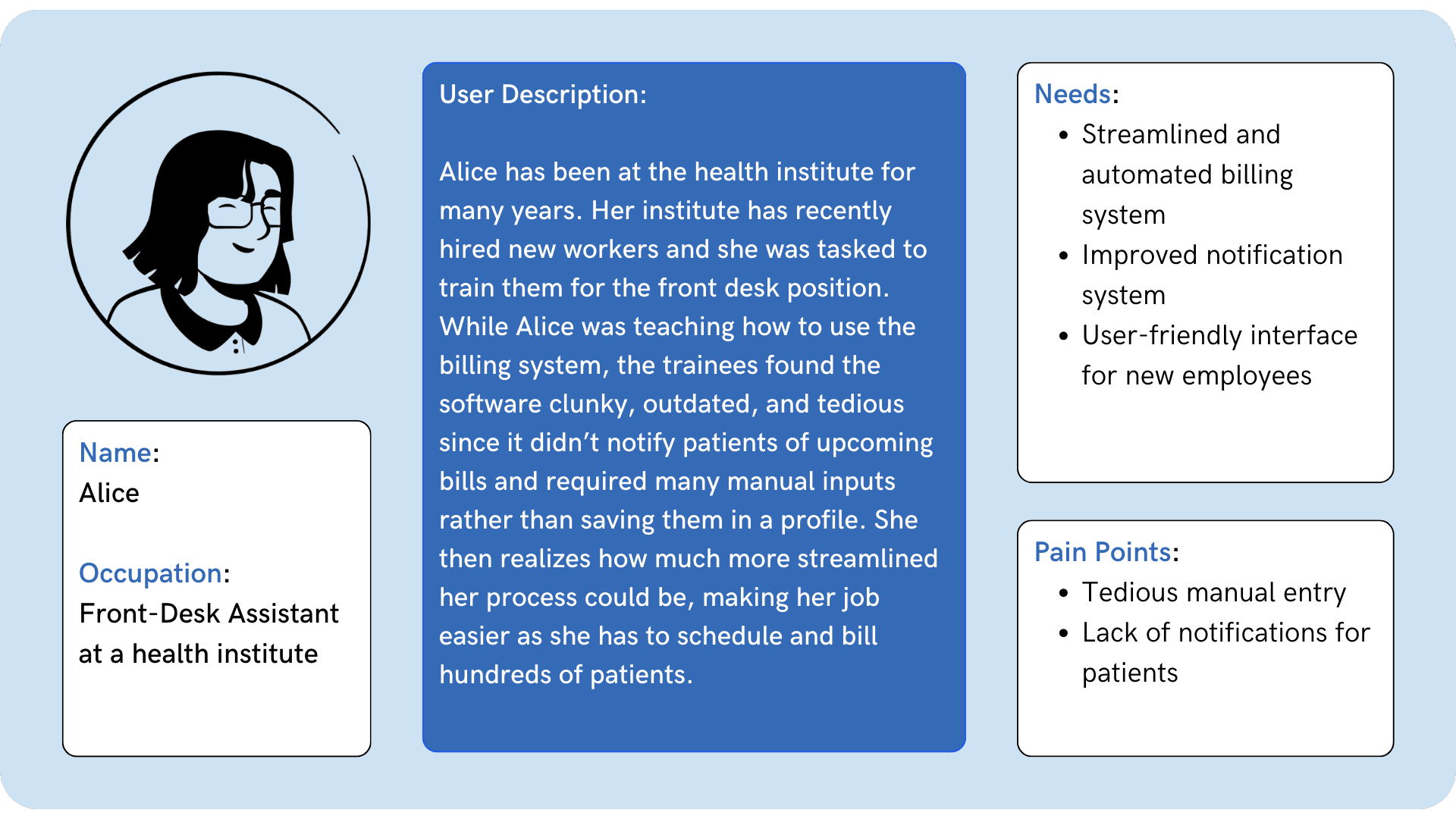
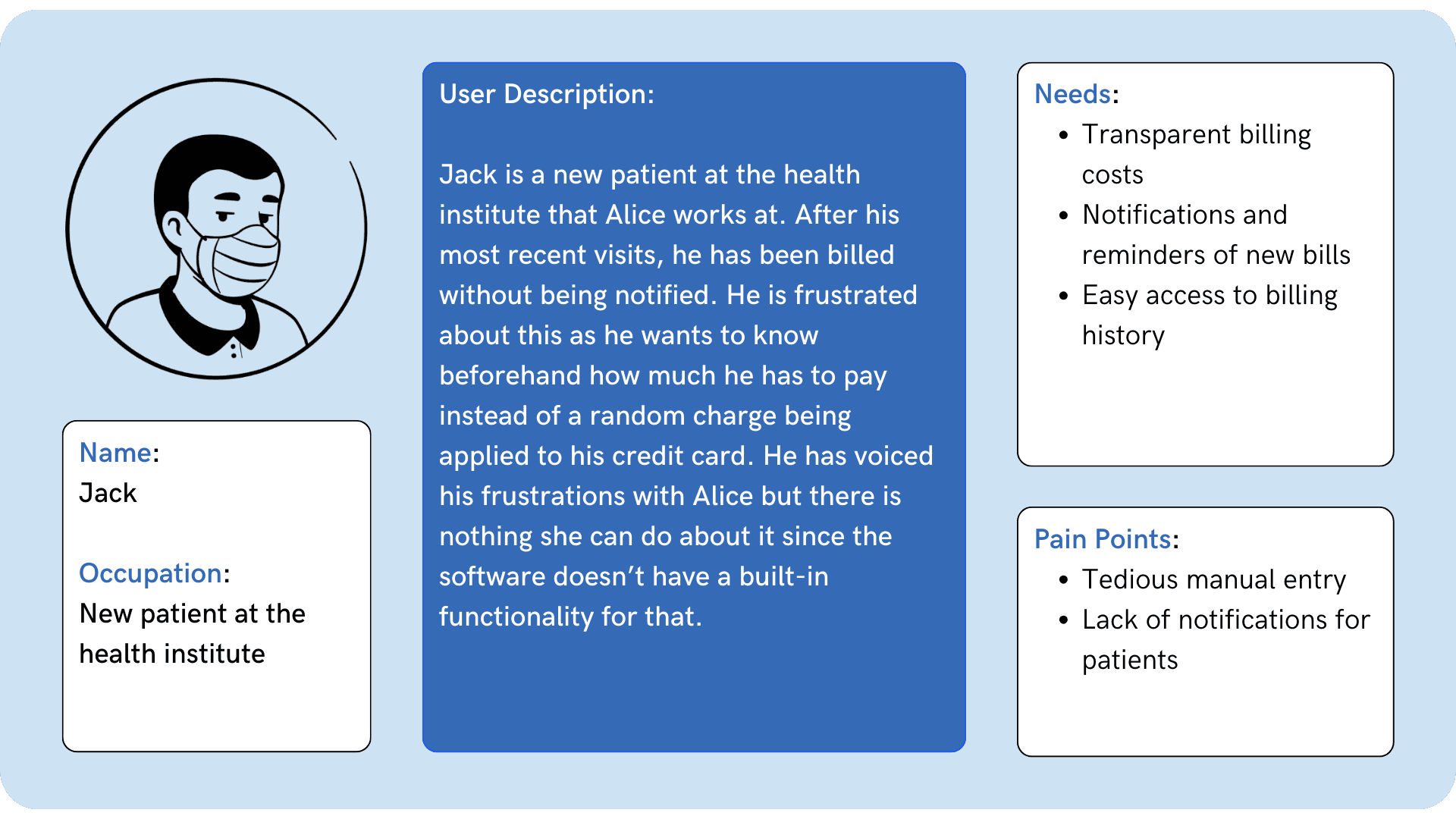
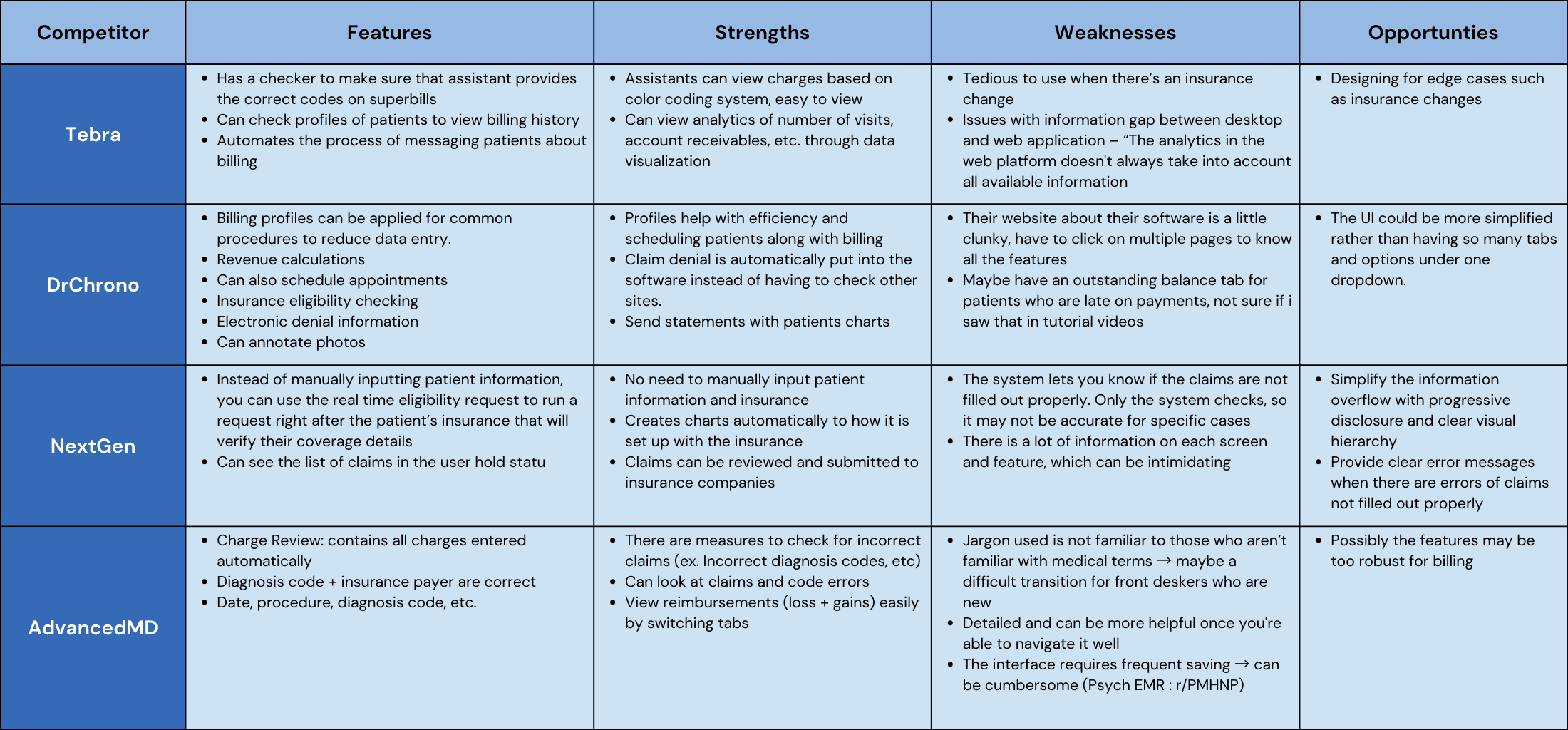
From our competitive analysis, we found that a lot of the software we analyzed was either too robust or did not have enough features for medical assistants to manage billing. For our user flow, we want to find the middle ground of having enough features and making sure it covers common tasks from medical assistants. We also want to include a feature in which the assistants can quickly find the patient information through the insurance ID instead of manually inputting it.
IDEATION
User Flow 1
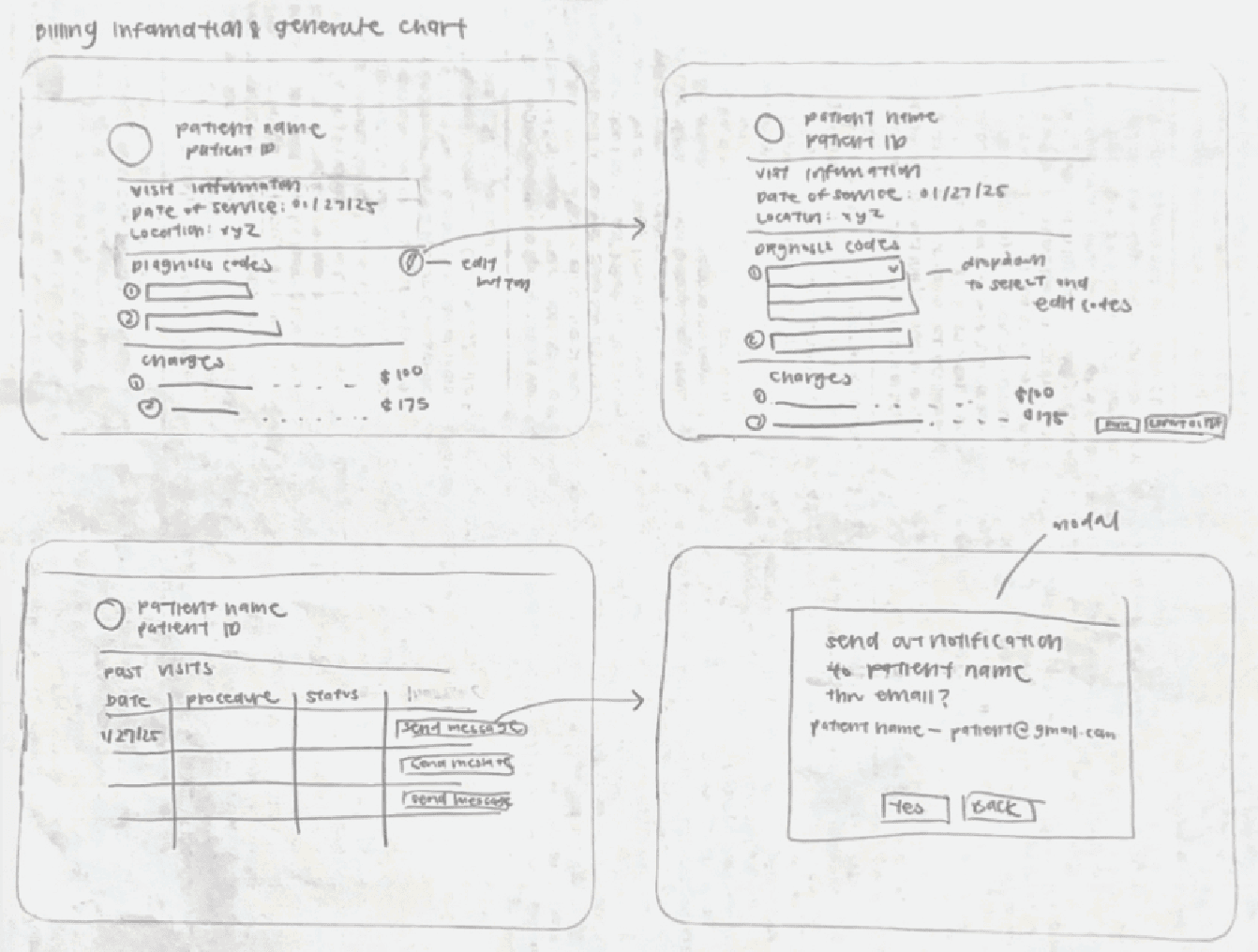
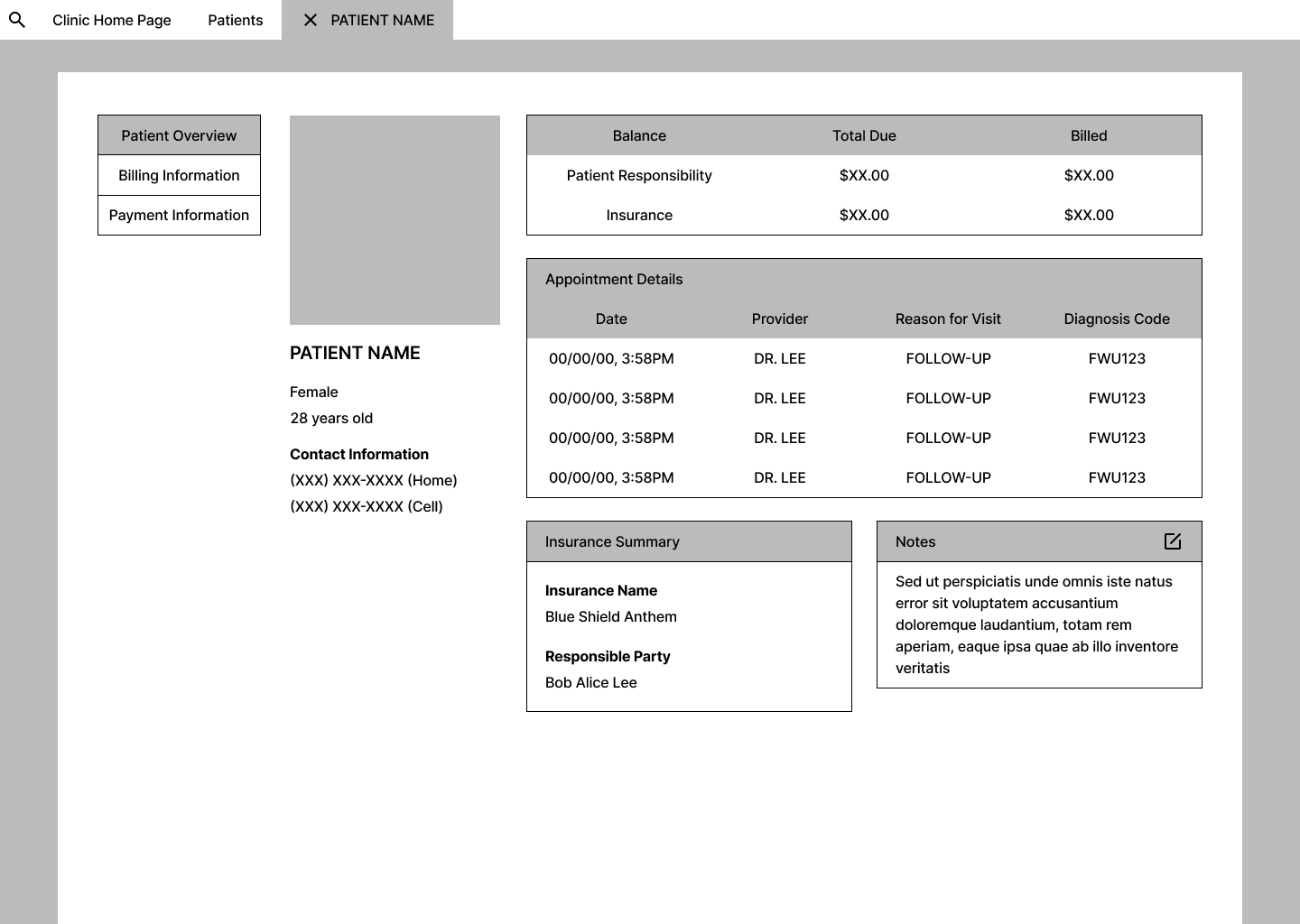
Flow 1 primarily focuses on how a medical assistant generates a billing statement and notifying the patient of their bill

User Flow 2
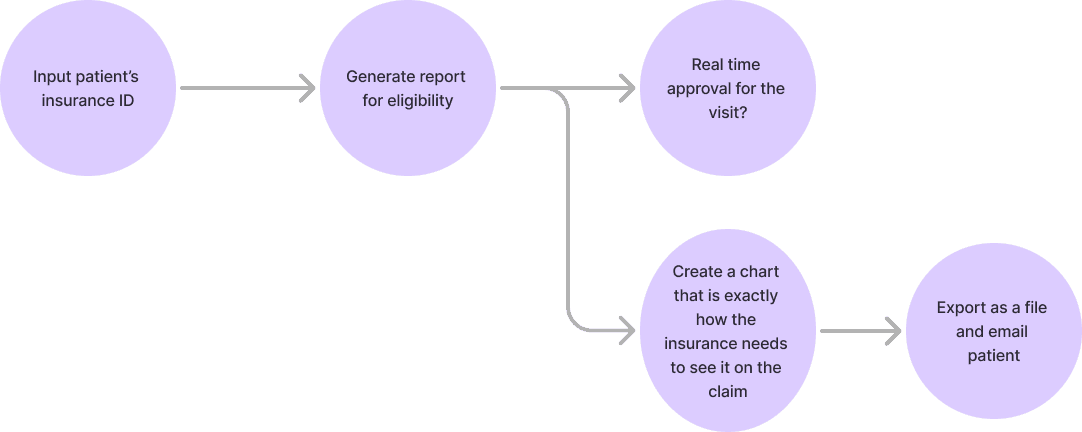
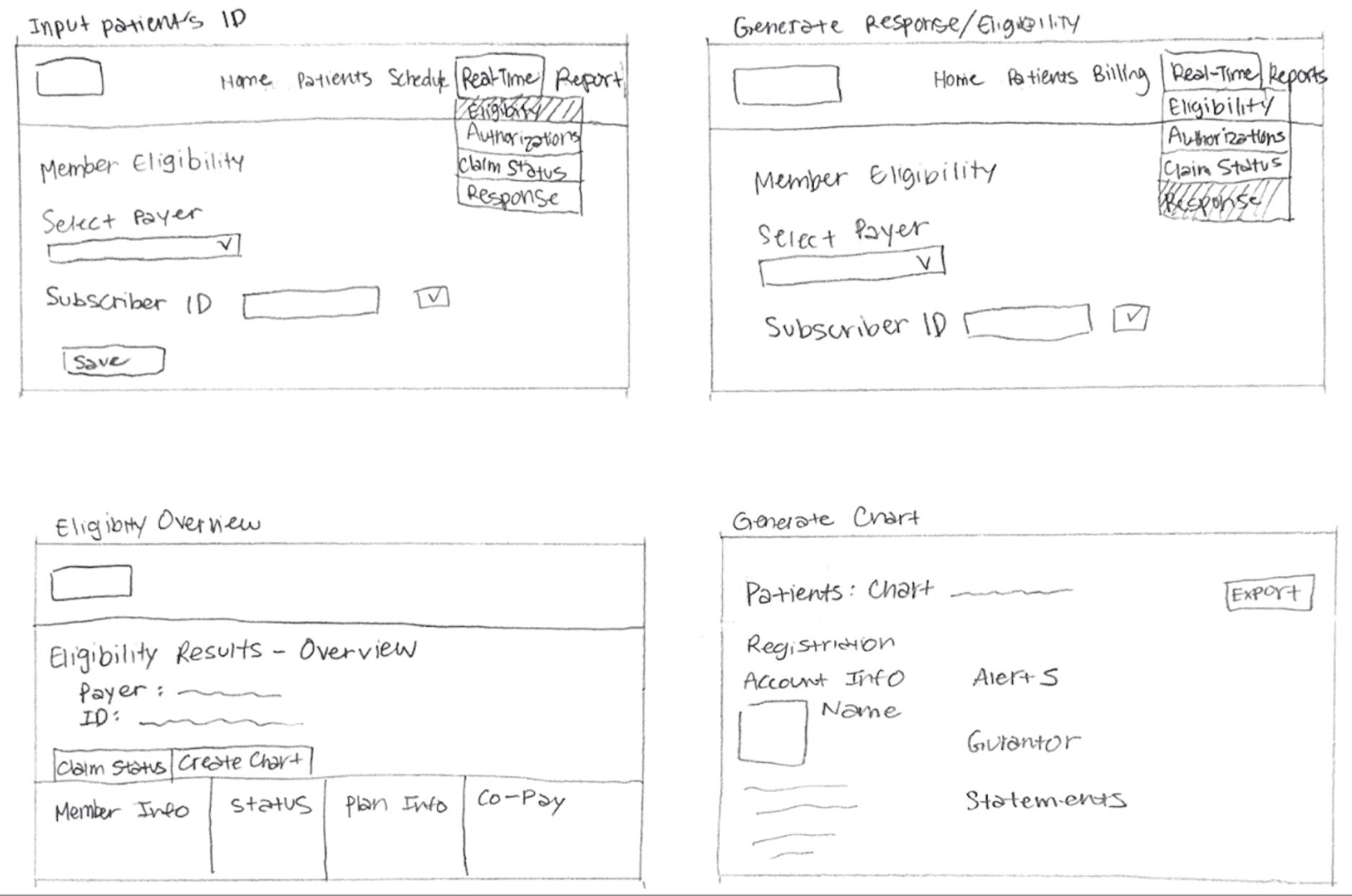
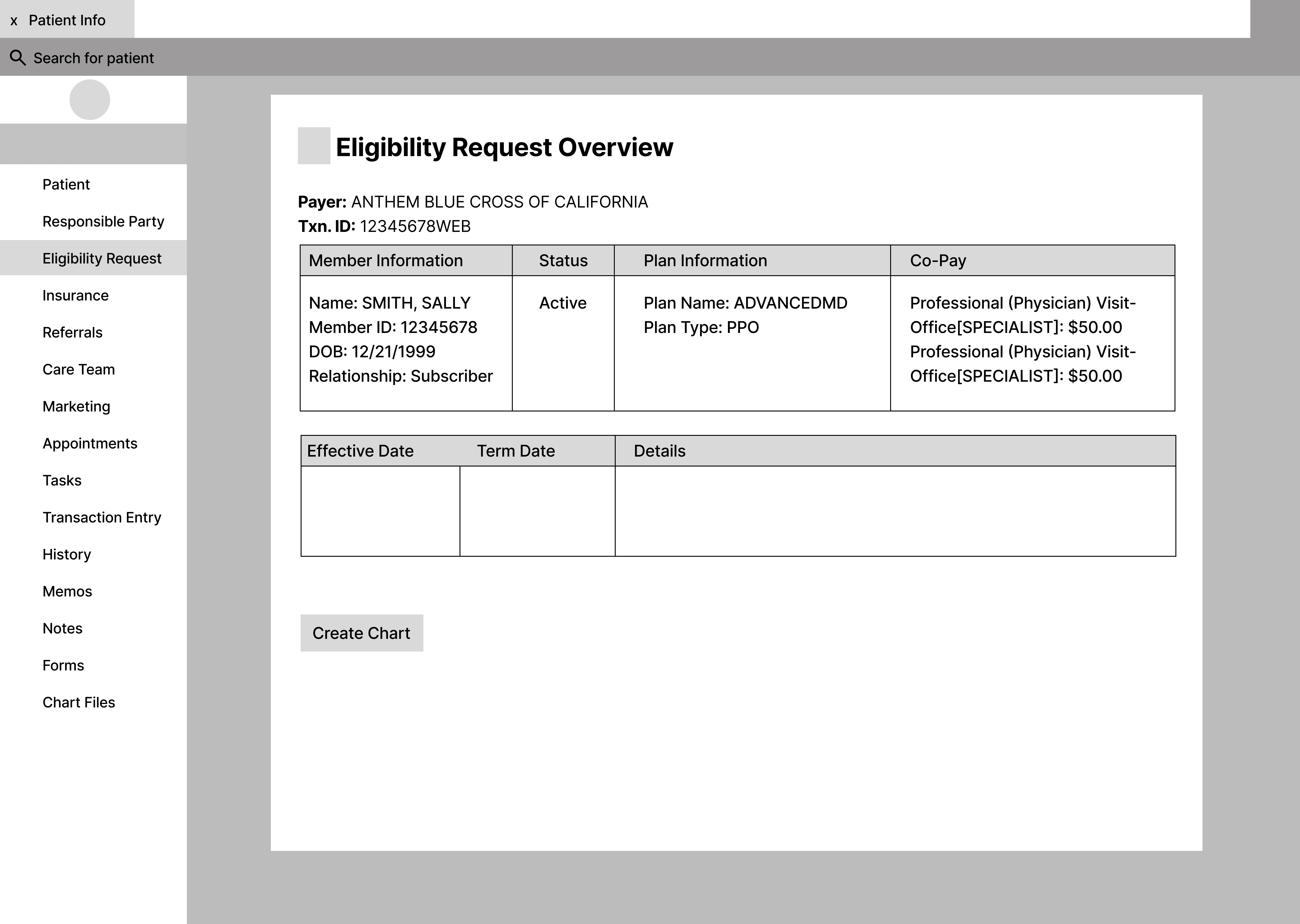
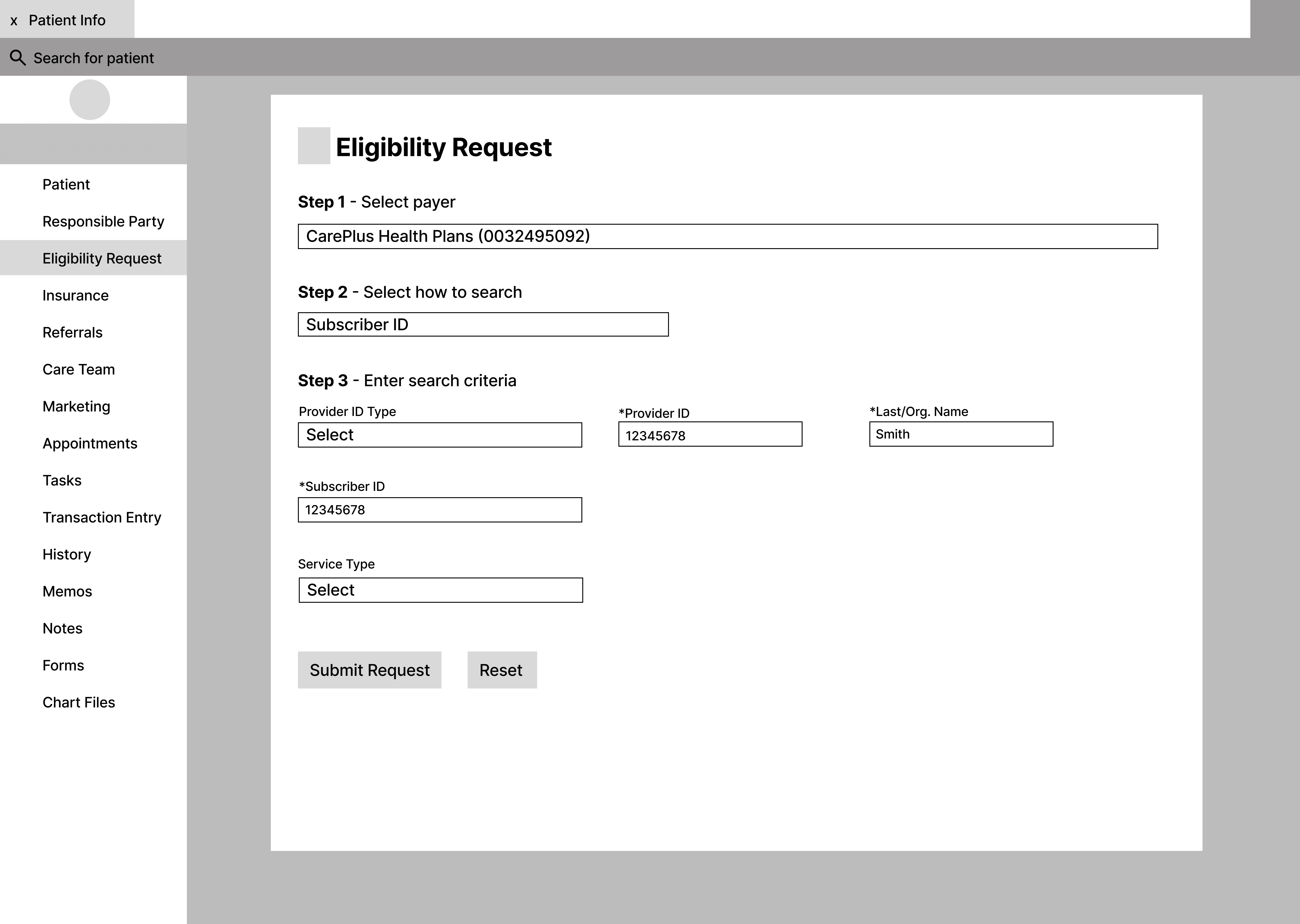
Flow 2 allows the medical assistant to check insurance eligibility and create a patient chart
Sketching
PROTOTYPING
Low-Fidelity
Flow 1
Flow 2
Low-Fidelity User Testing Results
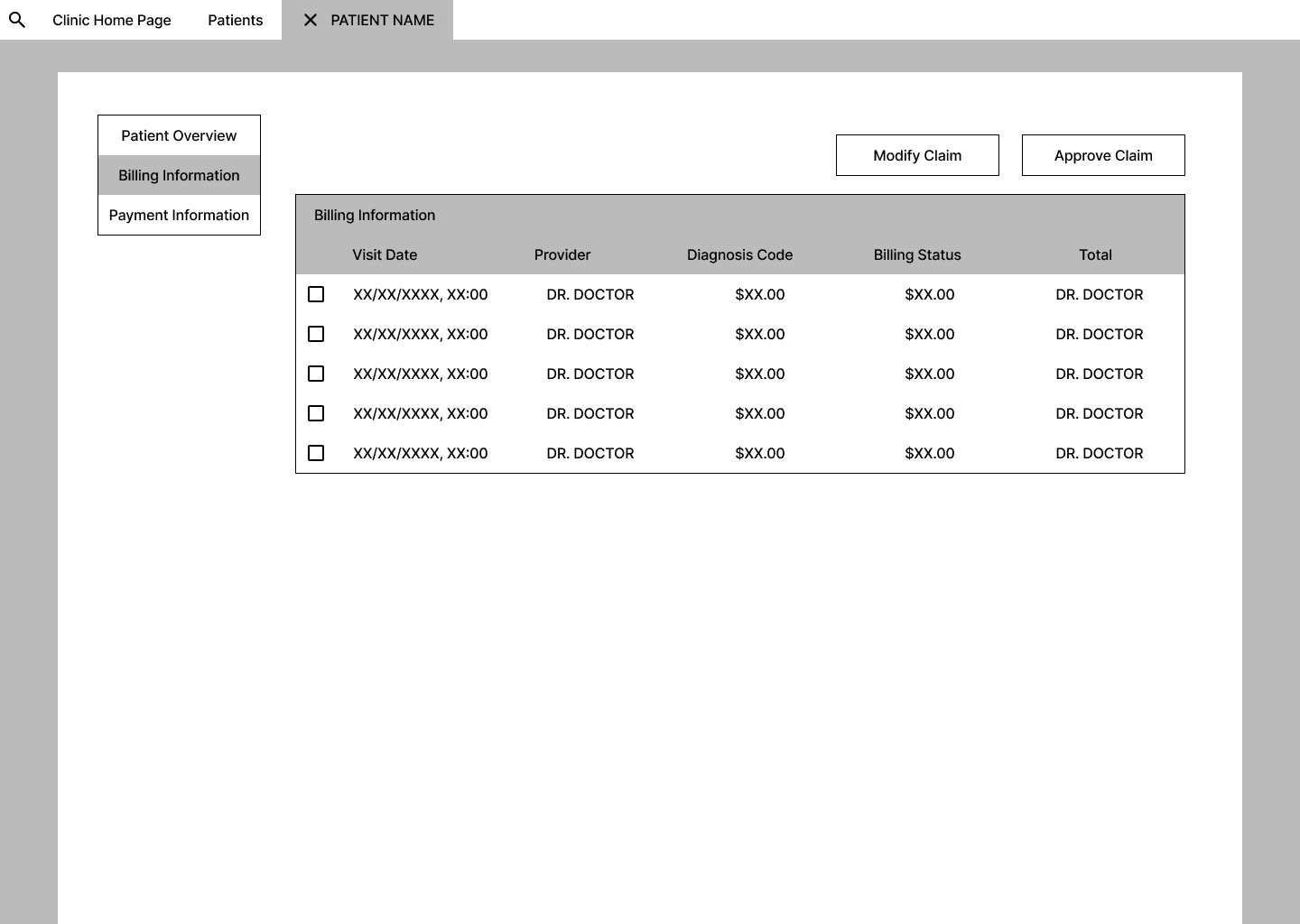
Confusion arose when the participants encountered medical billing-related jargon that did not exactly align with their expectations, and missing necessary field inputs Additionally, they found some of the UI elements unnecessary or misplaced, such as requiring the creation of a new patient chart when one already exists in the system. Another mistake was previewing the patient chart instead of the insurance status, as the patient chart can be accessed at any time while the insurance status is always changing.
We also found that medical assistants need to be able to quickly see patient insurance eligibility, have clearer cost breakdowns, and be able to collect co-pays upfront. They require better insurance correspondence tools such as an inbox for claim updates rather than modifying claims themselves, since this goes beyond the scope of their responsibilities as front desk staff. Additionally, a messaging center within the software would improve patient communication, especially when patients need to receive timely cost-transparency notifications. A helpful tool could be using color coordination to our advantage to draw attention to certain messages or buttons that may be used more frequently.
High-Fidelity Iteration
Initially we thought that the front desk assistants had to manually approve, but from interviewing our stakeholders, we learned that it is a multi-step process that involves getting input from insurance. Because of this, we explored different layouts of how we can communicate the status of the insurance claims.
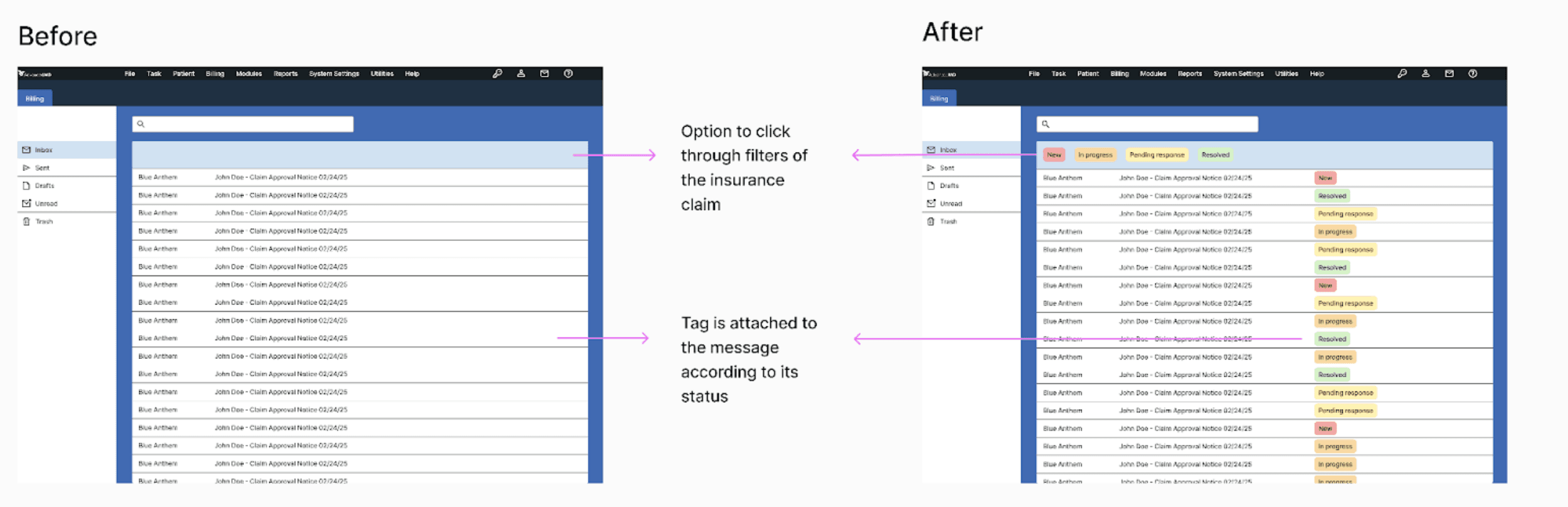
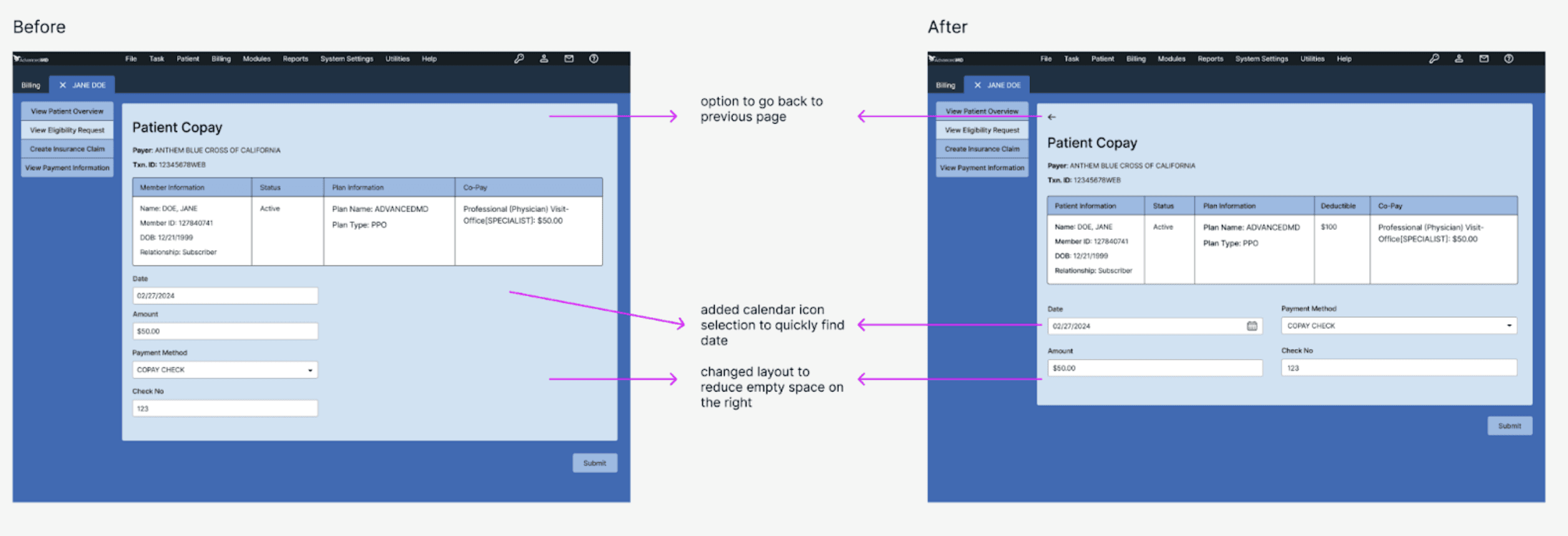
We also explored different layouts for collecting patient co-pay after generating the eligibility requests. Initially, we thought that only generating eligibility requests was enough, but after interviewing stakeholders, we discovered that collecting co-pays after checking insurance would allow assistants to go through the billing process faster.
REFELECTION
What's next?
Expand Insurance Integration
Automated Billing Reminders
Customizable User Roles & Permissions
Error Prevention & Smart Alerts
Batch Billing & Bulk Processing